How to Set Up Email Notifications ?
LiveNotifire lets you stay informed about important store activities by sending instant email alerts for:
- New Orders
- Low Stock
- Out of Stock
- Payment Failures
Enable Email Notifications
Open LiveNotifire Settings
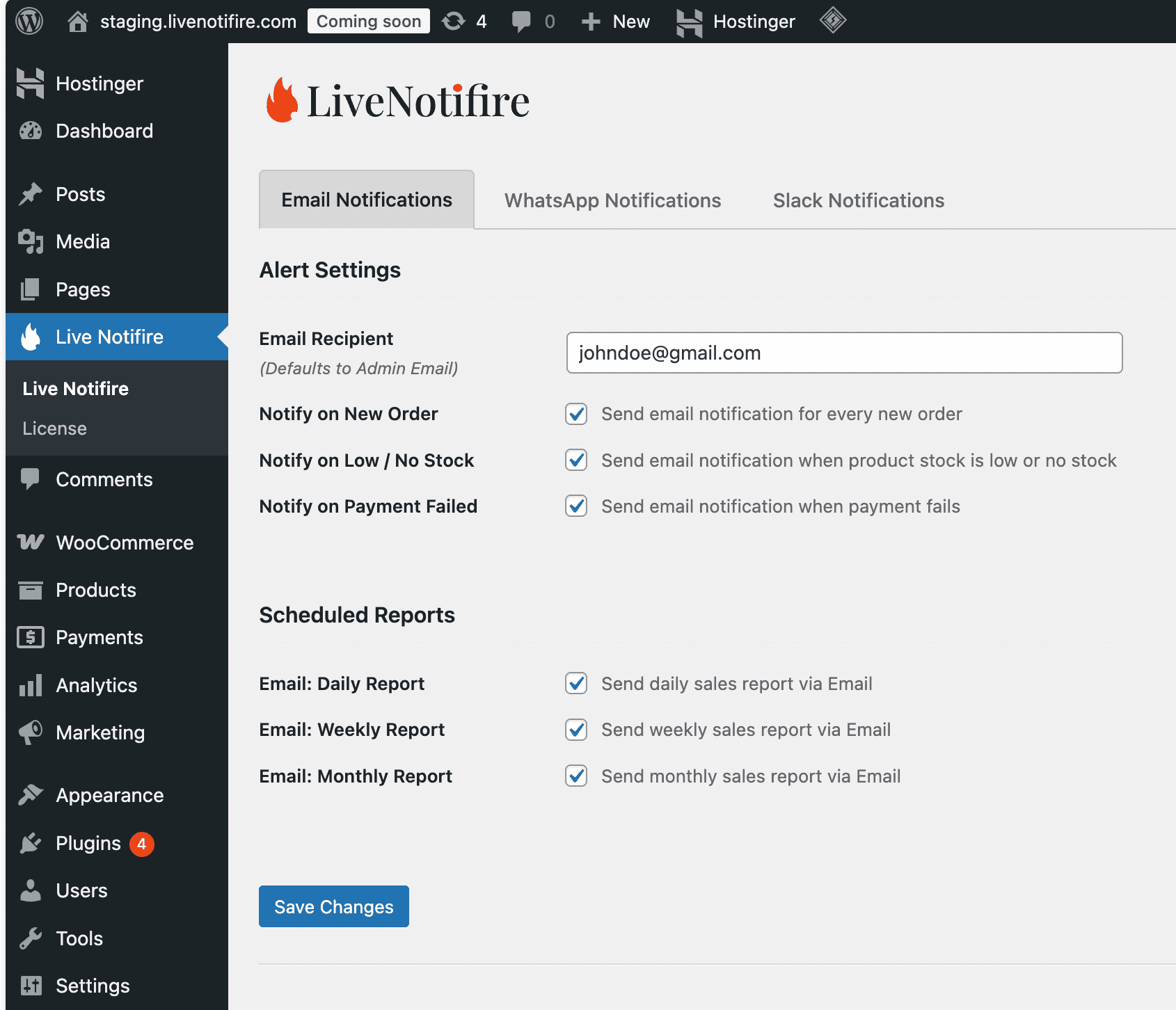
From your WordPress dashboard, click LiveNotifire.
Go to the Email Notifications Tab
Navigate to the Email Notifications tab.
Enter Your Email Address
Enter the email address where you want to receive notifications.
Enable Notify on New Order
Toggle on the Notify on New Order option.
Enable Notify on Low Stock / No Stock
Toggle on the Notify on Low Stock / No Stock option.
Enable Notify on Payment Failed
Toggle on the Notify on Payment Failed option.
Save Changes
Click Save Changes to apply your settings.
What Happens Next
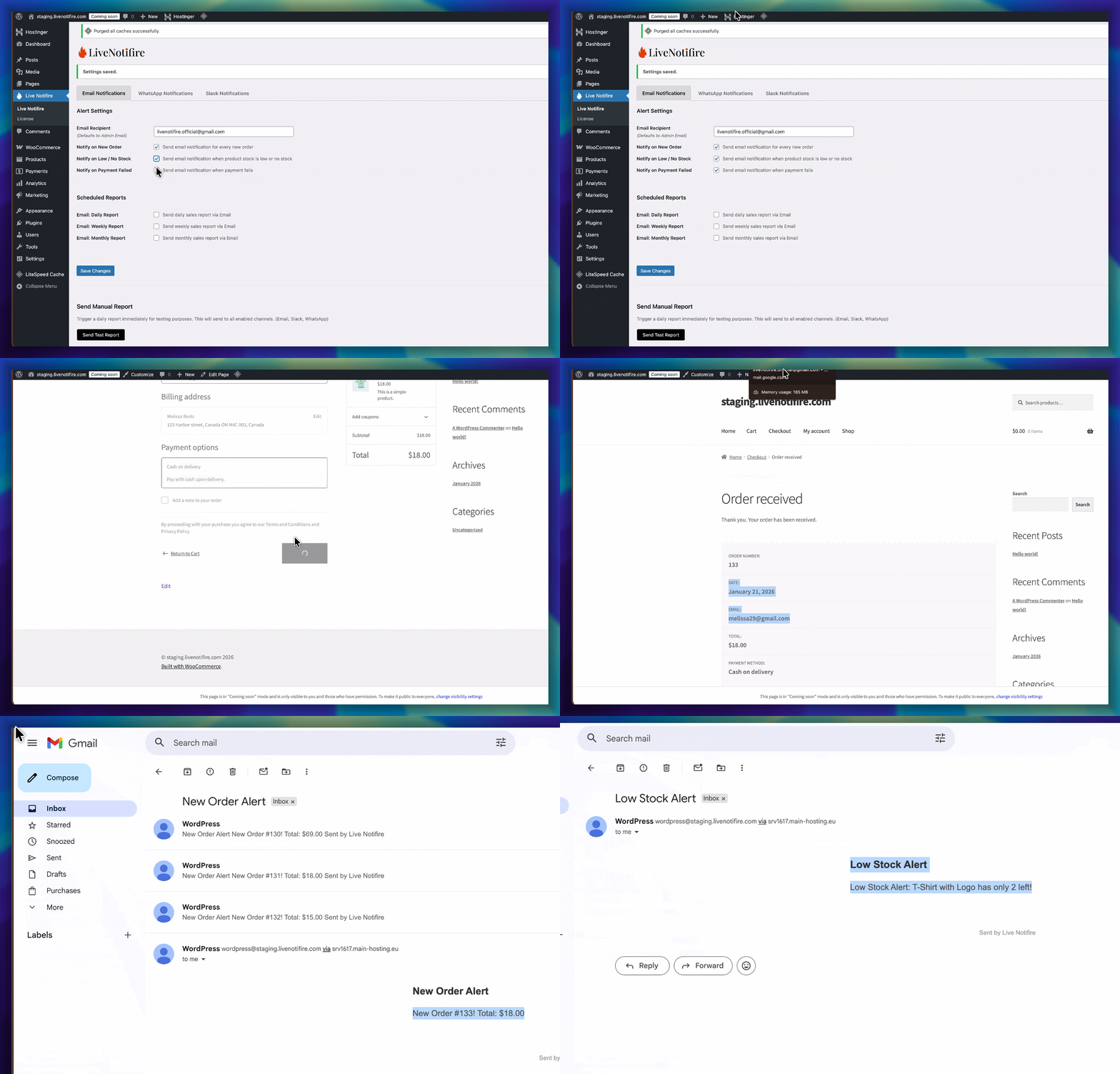
Once enabled, LiveNotifire will instantly notify you by email whenever:
- A new order is placed
- Product stock runs low or goes out of stock
- A payment attempt fails