Getting Started
Requirements
- WordPress 5.0+
- WooCommerce 4.0+
- PHP 7.4+
- WooCommerce Action Scheduler (included with WooCommerce)
Installation
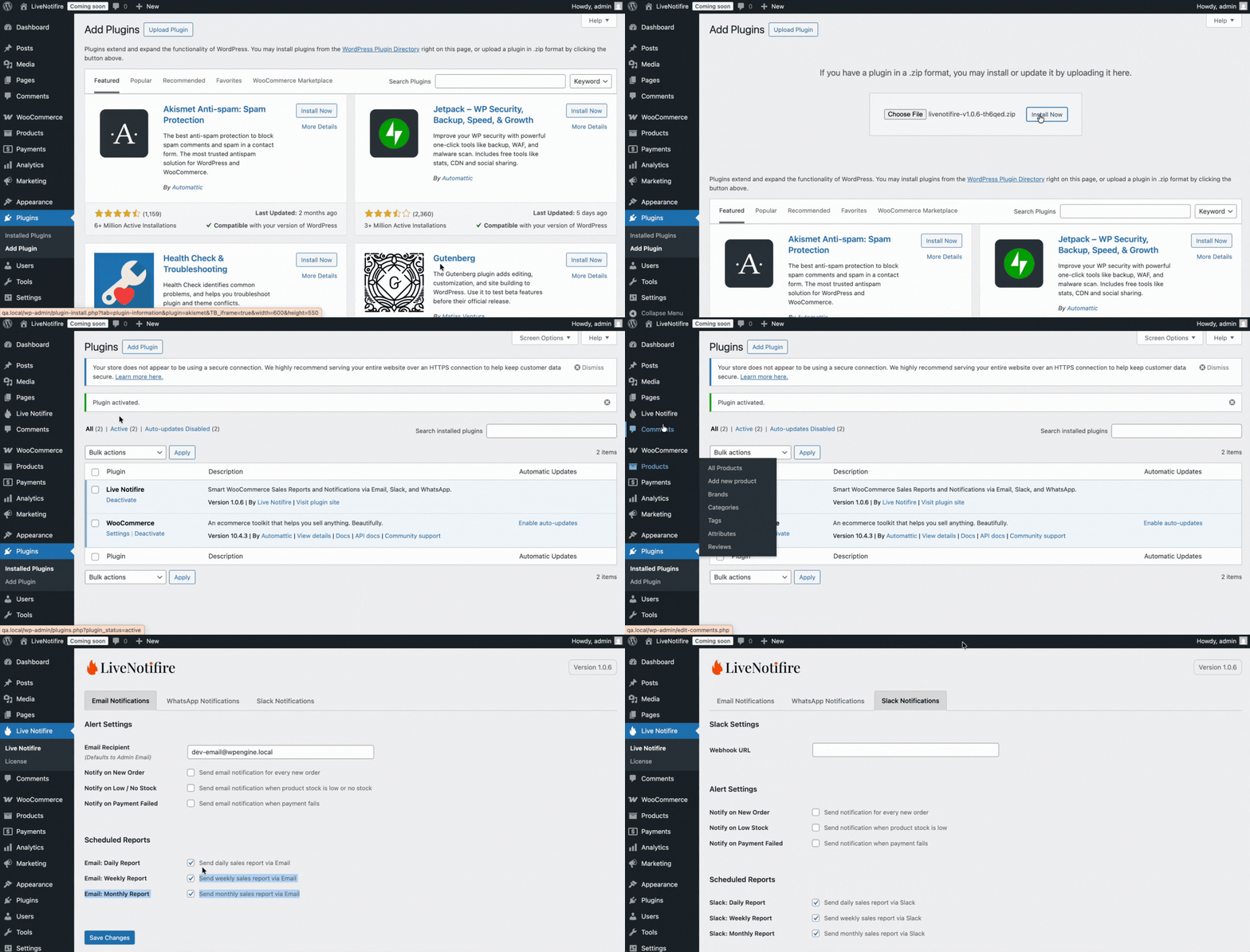
Upload the Plugin
Upload the livenotifire plugin to your WordPress installation.
Activate the Plugin
Activate LiveNotifire from the WordPress Plugins page.
💡
WooCommerce must be active for Live Notifire to function.
Accessing the Settings
After activation, LiveNotifire becomes available in the WordPress admin sidebar.
Navigate to WordPress Admin → Click on LiveNotifire to access the plugin settings.
LiveNotifire uses the WordPress admin email by default.